




01-14-2026, 06:30 PM
I tried this. Create a new square layer with 'Filters / Render / Noise / Smooth Noise' (value 16).
Use 'Colors / Curves' to convert the noise into random lines.
Then go to 'Filters / Blur / Gaussian Blur' (value 4).
Copy the layer to a new layer. Rotate this new layer 90 degrees (Tools / Transform Tool / Rotate).
Set the rotated layer's mode to 'Overlay'.
Create a new layer called 'Color 2'. Use 'Colors / Brightness-Contrast' to reduce the noise (Brightness -14, Contrast 80).
Go to Colors / Colors (use the default color).
Copy the result to a new layer, change the color to dark blue (Colors / Hue-Chroma) and name it 'Color 1'.
Blur the result and move this layer below 'Color 2'.
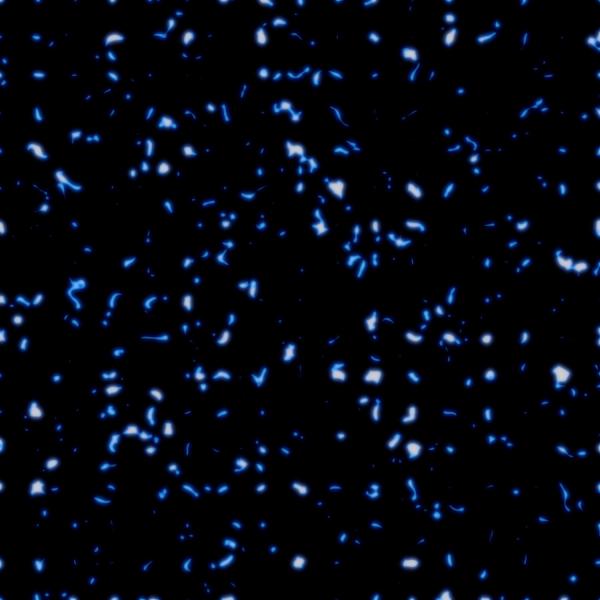
Remove the black color: 'Colors / Color to Alpha'.
Set the opacity of the "Color 2" layer to 25.
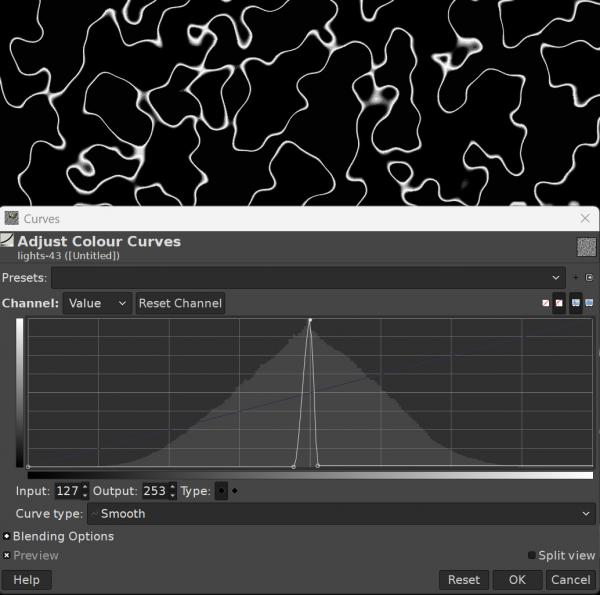
Use 'Colors / Curves' to convert the noise into random lines.
Then go to 'Filters / Blur / Gaussian Blur' (value 4).
Copy the layer to a new layer. Rotate this new layer 90 degrees (Tools / Transform Tool / Rotate).
Set the rotated layer's mode to 'Overlay'.
Create a new layer called 'Color 2'. Use 'Colors / Brightness-Contrast' to reduce the noise (Brightness -14, Contrast 80).
Go to Colors / Colors (use the default color).
Copy the result to a new layer, change the color to dark blue (Colors / Hue-Chroma) and name it 'Color 1'.
Blur the result and move this layer below 'Color 2'.
Remove the black color: 'Colors / Color to Alpha'.
Set the opacity of the "Color 2" layer to 25.