Yesterday, 05:25 PM
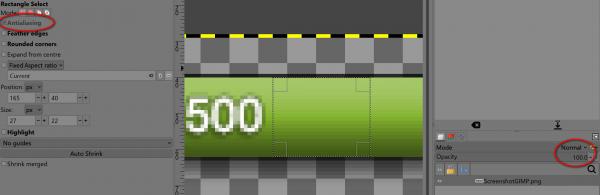
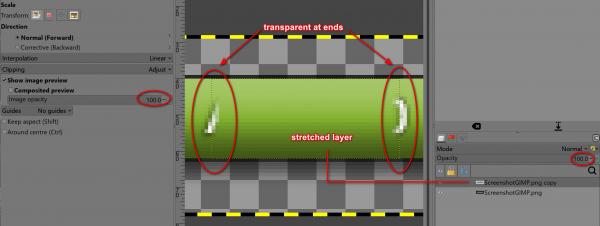
Another option is to select a green area without text. Copy the selection and paste it into a new layer. Select 'None'. Then scale the new layer in the x-direction so that the text disappears under the layer. I noticed that both sides of the scaled layer are transparent. I think this is because the 'Antialiasing' option in the 'Rectangle Selection Tool' cannot be disabled (it is displayed in gray). Gimp 3.2.4 . Bug?