




04-26-2026, 05:23 PM
One possible solution is to use paths. Create a path composition using guidelines on a white background (which is more visible). Once all paths have been created, you can combine them into a path layer. Copy this layer to memory and undo the edit so that you have all the paths back. Paste the copied layer. You now have the lines separately in path layers and all paths in one layer. Save the file as an XCF file. If you want to use this composition on a photo, load the photo as usual and also load the XCF file of the composition. You can now drag the path layer to the layer containing the photo. You can now edit the path layer of the composition using all GIMP tools (move, scale, rotate, perspective, etc.). You can use the composition layer as many times as you like. You can create multiple path compositions and save them in a single XCF file, so that you can easily drag a composition from the compositions you have created. This is just a tip.
Example :
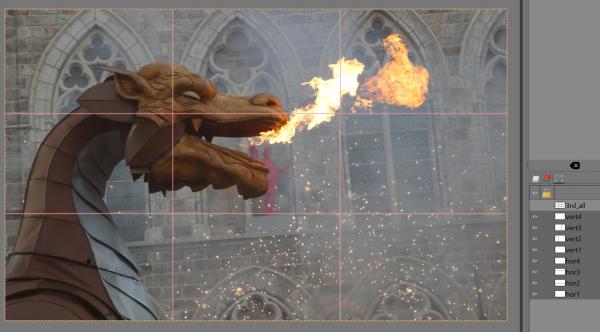
Example :