




Is there any way to deal with this?
Here's an example, resize to 25%.
Gimp - blurry. (if choose None, will get terrible aliasing)
Windows Paint - not blurry (but not support alpha).
Original image (cannot attach, said too large): https://1drv.ms/i/c/cfd39d12afb55641/IQB...Jss9bfcMkA
Result-Gimp: https://1drv.ms/i/c/cfd39d12afb55641/IQC...ceDmBBTfrU

Result-Windows Paint: https://1drv.ms/i/c/cfd39d12afb55641/IQA...EO4nLDEi9Y
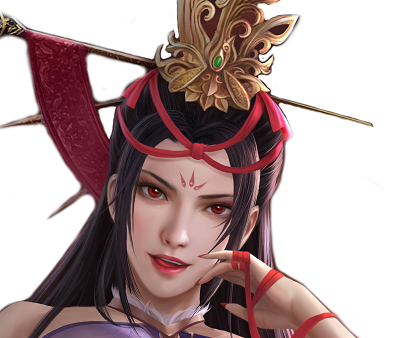
Look at the face and hair.
edit:attachment seems didn't display.
Here's an example, resize to 25%.
Gimp - blurry. (if choose None, will get terrible aliasing)
Windows Paint - not blurry (but not support alpha).
Original image (cannot attach, said too large): https://1drv.ms/i/c/cfd39d12afb55641/IQB...Jss9bfcMkA
Result-Gimp: https://1drv.ms/i/c/cfd39d12afb55641/IQC...ceDmBBTfrU
Result-Windows Paint: https://1drv.ms/i/c/cfd39d12afb55641/IQA...EO4nLDEi9Y
Look at the face and hair.
edit:attachment seems didn't display.



