




Looks like nobody is using Gimp anymore, it is all AI, however Gimp 3 can come in useful at times.
This is using the Gimp 3 plugin Batcher https://kamilburda.github.io/batcher/
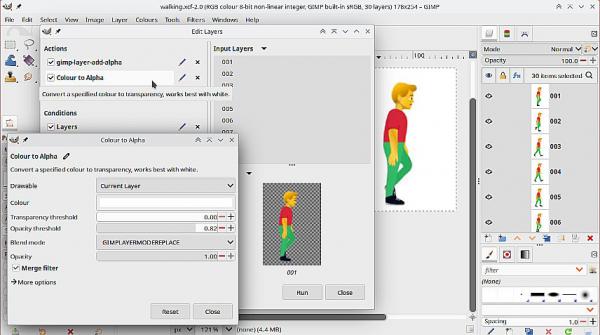
(1) Removing a plain color background from an animation. It might be something downloaded from one of those animation websites. If it is possible using Color -> Color-to-Alpha then in Batcher these Gimp operations gimp-layer-add-alpha and color-to-alpha
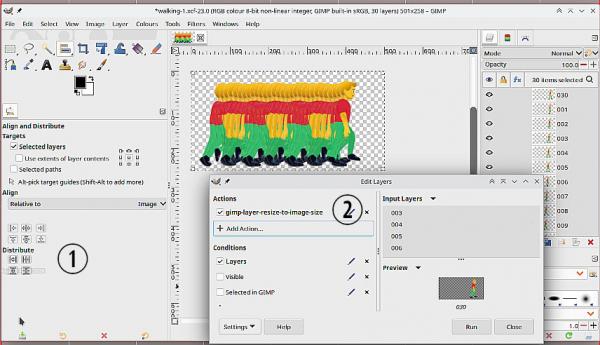
(2) Distributing the layers across the canvas using the Gimp 3 Align tool and adding a background with Batcher.
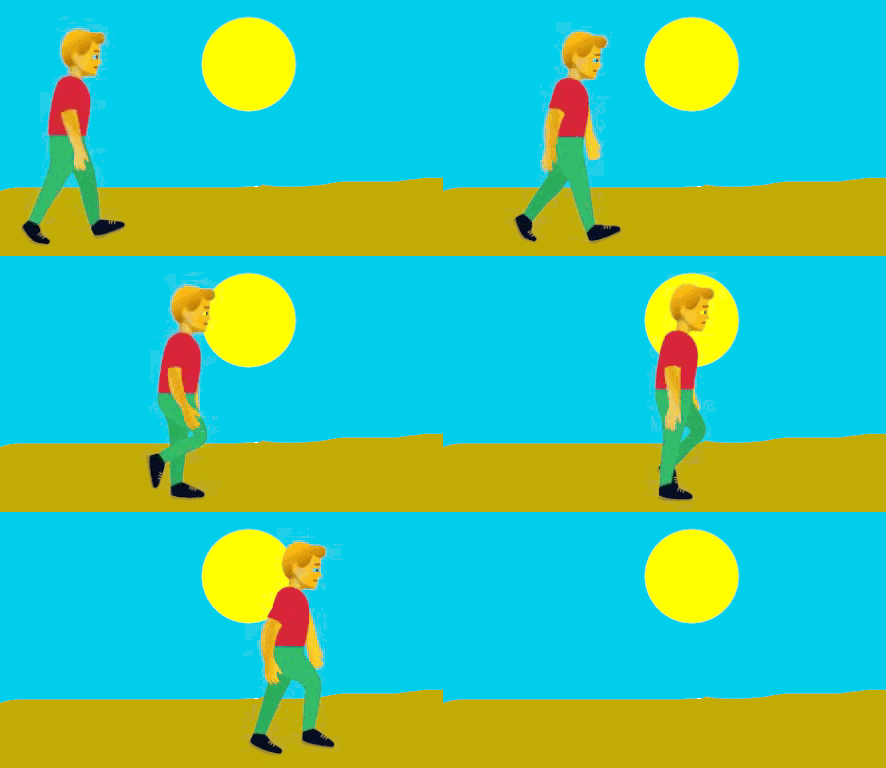
Which gives this:
This is using the Gimp 3 plugin Batcher https://kamilburda.github.io/batcher/
(1) Removing a plain color background from an animation. It might be something downloaded from one of those animation websites. If it is possible using Color -> Color-to-Alpha then in Batcher these Gimp operations gimp-layer-add-alpha and color-to-alpha
(2) Distributing the layers across the canvas using the Gimp 3 Align tool and adding a background with Batcher.
Which gives this:
