




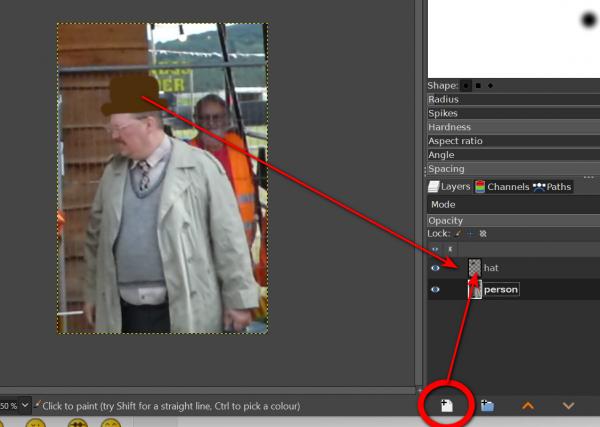
You have to use a new transparent layer and draw the hat on this new layer. Click on the '+ on white rectangle' icon (see red circled icon) and select 'transparent'. You now can use this transparent layer to draw on and erase things. If you want to draw other things you can draw on this new layer or make a new transparent layer.
Thread Rating:
|
erasing paintbrush strokes
|
|
« Next Oldest | Next Newest »
|
| Messages In This Thread |
|
erasing paintbrush strokes - by Laco - 01-05-2026, 08:05 AM
RE: erasing paintbrush strokes - by denzjos - 01-05-2026, 08:49 AM
RE: erasing paintbrush strokes - by Laco - 01-05-2026, 01:00 PM
RE: erasing paintbrush strokes - by sallyanne - 01-07-2026, 10:54 PM
|