




(Just a moan, why is it difficult to find an animated gif of wings without being pestered to sign up...web never used to be like that..)
First a little check list for everyone.
If the gif is optimised then unoptimise it: Filters -> Animation -> Unoptimise. (your layers look ok but do check)
A gif uses indexed color, change to RGB : Image -> Mode RGB
Ofnuts plugin is contained inside the folder, no need for moving the files. A Gimp 3 plugin (scm or py) requires the plugin inside a folder of the same name (without extension) For example the flatten-groups-0.0.py goes in a folder flatten-groups-0.0
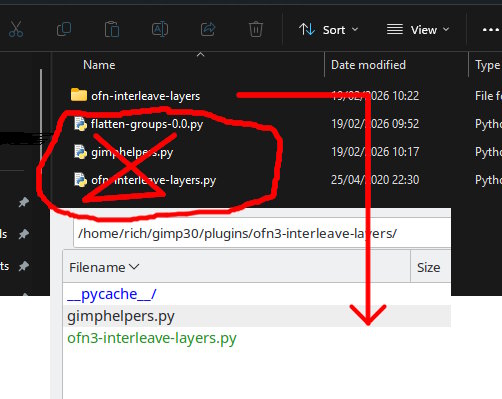
Using Interleave Layers. Look at the help file provided.
The overlay image can be a different size to the base animation but for fixing position make the layer same size as the animation. Layer -> Layer to image size.
For the plugin to work, you have to select the layers. Click select top layer - go to bottom layer and shift-click
Now apply the plugin Image -> Interleave Layers -> Interleave Single Layer. Browse for the image - Position=Over and OK.
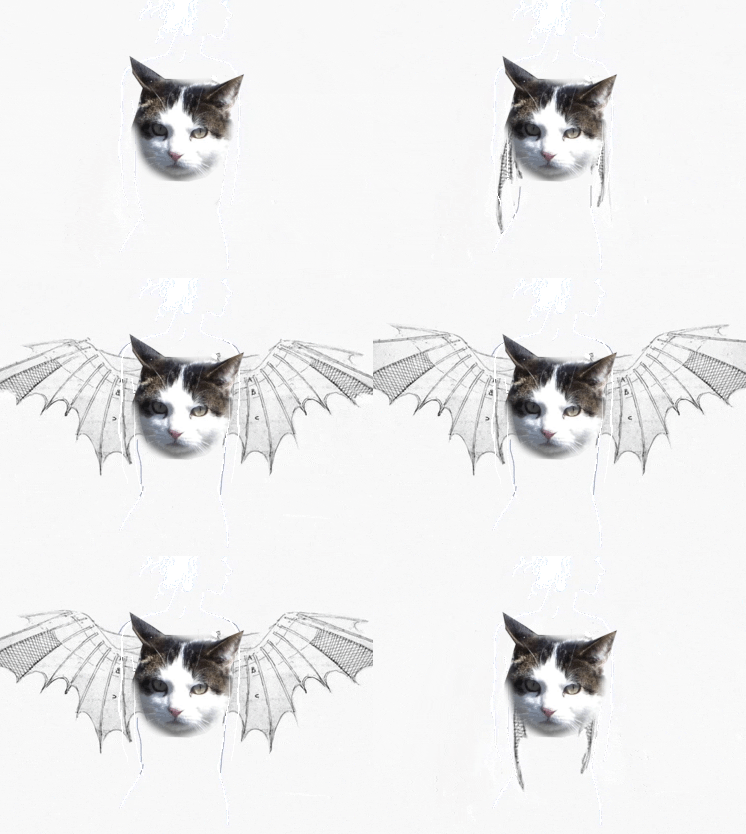
This a 1 minute video of that (no audio) https://sendvid.com/ywt8n4pm and the resulting gif
First a little check list for everyone.
If the gif is optimised then unoptimise it: Filters -> Animation -> Unoptimise. (your layers look ok but do check)
A gif uses indexed color, change to RGB : Image -> Mode RGB
Ofnuts plugin is contained inside the folder, no need for moving the files. A Gimp 3 plugin (scm or py) requires the plugin inside a folder of the same name (without extension) For example the flatten-groups-0.0.py goes in a folder flatten-groups-0.0
Using Interleave Layers. Look at the help file provided.
The overlay image can be a different size to the base animation but for fixing position make the layer same size as the animation. Layer -> Layer to image size.
For the plugin to work, you have to select the layers. Click select top layer - go to bottom layer and shift-click
Now apply the plugin Image -> Interleave Layers -> Interleave Single Layer. Browse for the image - Position=Over and OK.
This a 1 minute video of that (no audio) https://sendvid.com/ywt8n4pm and the resulting gif