




printer ink cyan / magenta / yellow is very transparent except for black which is a bit denser and of course there is no white.
Just a guess, but I think your transparent media is much the same as the transparent media for overhead projectors. I have used that in the past and of course, in use, the slides get projected onto a white screen.
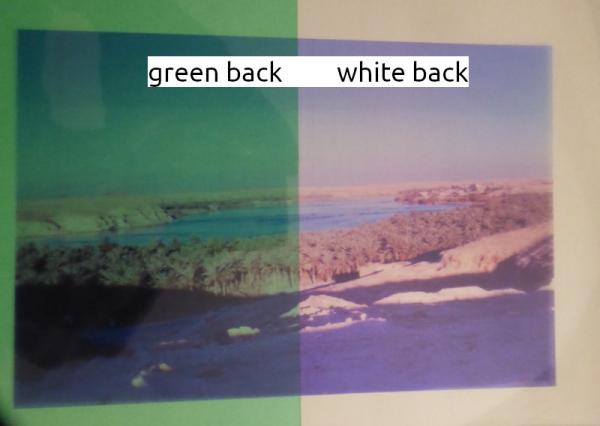
Just pulled one out, layed it on green / white background, very quick photo, just to show backing matters.
Are you planning on painting a white background for the transfer? No real way to make colours denser, there will be a quality setting somewhere in the Epson Windows Printer Driver (last Epson I had was 25 years ago) and make sure the image pixels-per-inch (ppi) value is 300. Depending on the image and the acuracy of the printer paper feed, it might be possible to print twice (maybe)
Just a guess, but I think your transparent media is much the same as the transparent media for overhead projectors. I have used that in the past and of course, in use, the slides get projected onto a white screen.
Just pulled one out, layed it on green / white background, very quick photo, just to show backing matters.
Are you planning on painting a white background for the transfer? No real way to make colours denser, there will be a quality setting somewhere in the Epson Windows Printer Driver (last Epson I had was 25 years ago) and make sure the image pixels-per-inch (ppi) value is 300. Depending on the image and the acuracy of the printer paper feed, it might be possible to print twice (maybe)