




@Ulodesk Is this a KTP type template ? Could really know if your project has many layers or just a single layer. You might have to mess around with selected layers or use layer groups.
I guess that answers my question. Put them in a layer group and move the layer group or probably better, select the appropriate layers
All sorts of ways, however for what it is worth. Something like this.
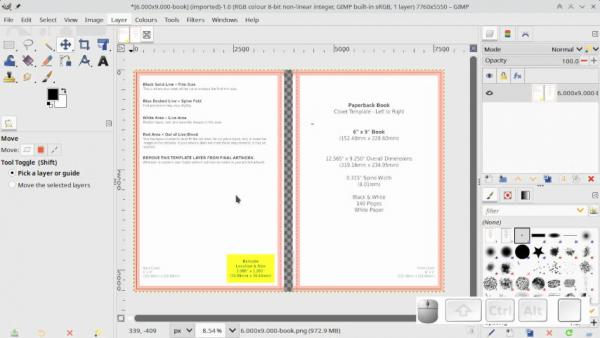
Stages
(1) split in two. (2) increase canvas size (3) move layer (4) fit canvas to layers (5) flatten image
As a 3 minute video https://youtu.be/F7o_CO6WI_o
Edit: Since you are using Gimp 2.10 a script-fu sg-group-linked-layers.scm (will also ungroup) Attached, unzip and goes in your scripts folder. Find it in Layers -> Stack. Might come in useful for moving layers in step, although you can do the same just by linking layers. Pays to be tidy.
Quote:...I really would like to avoid having to move each layer over a tiny a mount to recenter.
I guess that answers my question. Put them in a layer group and move the layer group or probably better, select the appropriate layers
All sorts of ways, however for what it is worth. Something like this.
Stages
(1) split in two. (2) increase canvas size (3) move layer (4) fit canvas to layers (5) flatten image
As a 3 minute video https://youtu.be/F7o_CO6WI_o
Edit: Since you are using Gimp 2.10 a script-fu sg-group-linked-layers.scm (will also ungroup) Attached, unzip and goes in your scripts folder. Find it in Layers -> Stack. Might come in useful for moving layers in step, although you can do the same just by linking layers. Pays to be tidy.