




06-05-2026, 02:42 PM
The new version of my python plugin for drawing hexagonal grids has been released.
The plugin should now be more useful for general use: the hexagons centers alignment with the pixel grid can be bypassed if pixel-perfect rasterization is not needed. Vertical/horizontal lines are still always perfectly aligned to pixels, to avoid annoying blurriness.
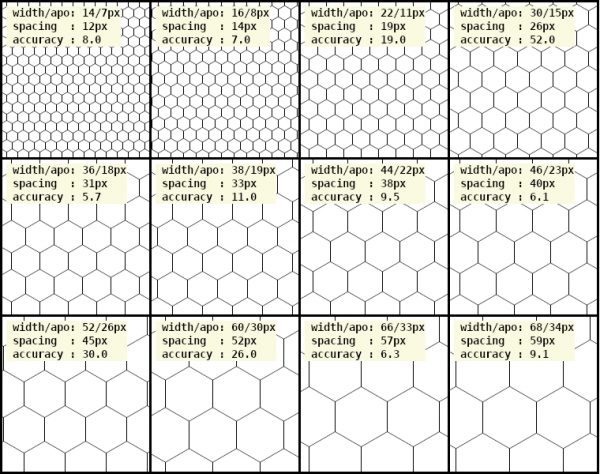
As in previous versions, it offers the option to create nicely formatted sample sheet, if you need to choose visually the ideal size, along with the output of useful parameters. A new output is the number of contiguous hexagons and lines the current image can contain.
Anecdotally, for the mathematically inclined, these parameters output, and the filtering ability, can be used to search for the optimal discrete fractions which approximate square root of 3! ;-)
Download by clicking on https://github.com/Scallact/gimp-plugin-hexgrid, and the link under "Releases". Download the Source code at the bottom, and install it according to the description at the bottom of the Readme.
I invite you to read the documentation, as there are a few non trivial concepts and parameters.
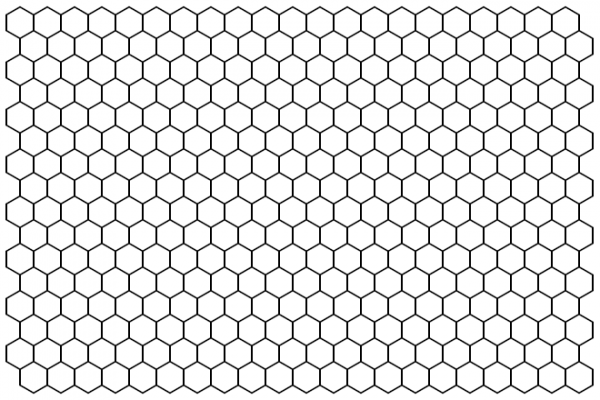
The plugin should now be more useful for general use: the hexagons centers alignment with the pixel grid can be bypassed if pixel-perfect rasterization is not needed. Vertical/horizontal lines are still always perfectly aligned to pixels, to avoid annoying blurriness.
As in previous versions, it offers the option to create nicely formatted sample sheet, if you need to choose visually the ideal size, along with the output of useful parameters. A new output is the number of contiguous hexagons and lines the current image can contain.
Anecdotally, for the mathematically inclined, these parameters output, and the filtering ability, can be used to search for the optimal discrete fractions which approximate square root of 3! ;-)
Download by clicking on https://github.com/Scallact/gimp-plugin-hexgrid, and the link under "Releases". Download the Source code at the bottom, and install it according to the description at the bottom of the Readme.
I invite you to read the documentation, as there are a few non trivial concepts and parameters.