




Your images are webp, probably why you were unable to attach, however the link works fine.
If it is 10 years since you used Gimp then it was probably Gimp 2.8 and there were scripts for logo's in File -> Create such as Alien Glow and Neon Glow which might have been used. Long gone in both Gimp 2.10 and Gimp 3
If you are using Gimp 3 then it is probably back to stock tools (although there are 3rd party GEGL filters for Neon)
You can use Layer -> Text to Path and modify the path using the paths tool
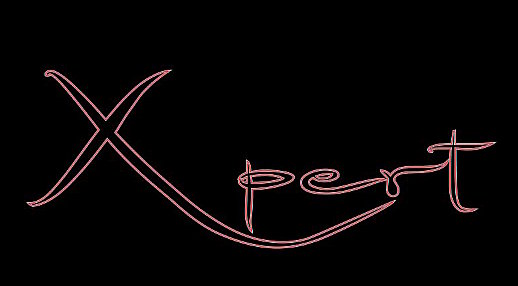
2 miunute video showing that: https://filedn.com/lkb9dw6mEfXSsOu9uKLaM14/expert-1.mp4
However you did it, your neon text looks ok to me. All sorts of ways but using paths with fill and stroke I can get this.

4 minute video: https://filedn.com/lkb9dw6mEfXSsOu9uKLaM14/expert-2.mp4
If it is 10 years since you used Gimp then it was probably Gimp 2.8 and there were scripts for logo's in File -> Create such as Alien Glow and Neon Glow which might have been used. Long gone in both Gimp 2.10 and Gimp 3
If you are using Gimp 3 then it is probably back to stock tools (although there are 3rd party GEGL filters for Neon)
You can use Layer -> Text to Path and modify the path using the paths tool
2 miunute video showing that: https://filedn.com/lkb9dw6mEfXSsOu9uKLaM14/expert-1.mp4
However you did it, your neon text looks ok to me. All sorts of ways but using paths with fill and stroke I can get this.
4 minute video: https://filedn.com/lkb9dw6mEfXSsOu9uKLaM14/expert-2.mp4