12-25-2025, 09:46 AM
Thread Rating:
|
Cropping Image
|
|
I keep forgetting you are using Gimp 2.10
...thus... using an old script (attached - goes in your user scripts folder)(1) A bit of pre-editing, use the crop tool to trim top / bottom / sides (2) Add guides where you want the split. (3) Image -> Slice Using Guides to make new images. (4) File -> Save ALL As using that old script (find it bottom of File menu). Edit: For those using Gimp 3. Almost the same except use the batcher plugin to export all open images.
12-25-2025, 12:26 PM
WOW Thank you for the quick reply! I just don't do much graphic work so I did not keep up with the versions I will install v3 now
12-25-2025, 12:38 PM
(12-25-2025, 12:26 PM)rinaldop Wrote: WOW Thank you for the quick reply! I just don't do much graphic work so I did not keep up with the versions I will install v3 now Gimp 3 has some nice advanced features ...but... I am a great believer in using what you are comfortable with. Also Gimp 2.10 supports very many scripts and plugins which have yet to be implemented (if ever) in Gimp 3.
12-25-2025, 01:17 PM
(12-25-2025, 12:38 PM)rich2005 Wrote:(12-25-2025, 12:26 PM)rinaldop Wrote: WOW Thank you for the quick reply! I just don't do much graphic work so I did not keep up with the versions I will install v3 now Ah, thanks for the advice.
7 hours ago
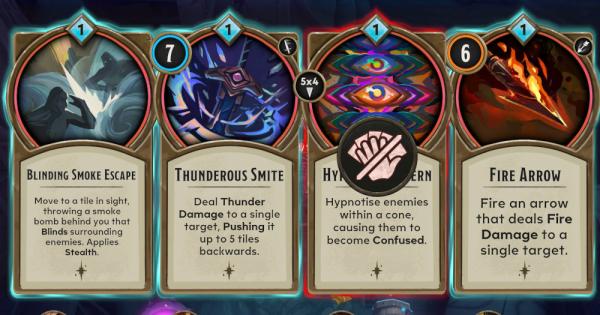
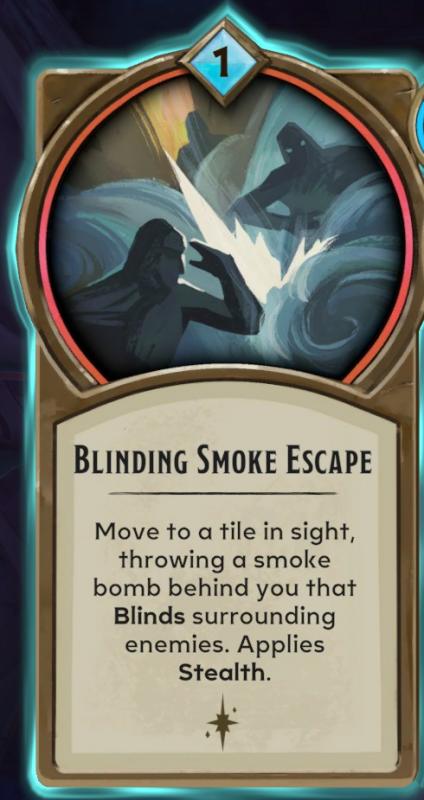
So, my intention is to take a bunch of screenshots like the one above and crop out all 4 card images for a FAQ for the game Demeo x Dungeons & Dragons: Battlemarked (GREAT game BTW)
Thanks to this thread I can do them one at a time by hand but is it possible to use BIMP to batch it?
Maybe, with many caveates:
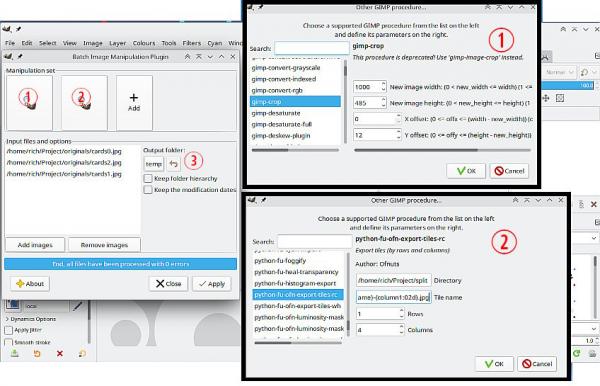
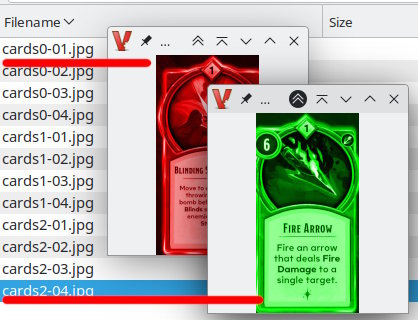
This is using one of Ofnuts Gimp 2.10 python plugins ofn-tiles.py from http://sourceforge.net/projects/gimp-too...s/scripts/ That then depends on your OS, Windows ok, some linux Gimp 2.10 versions do not come with python 2.7 support. MacOS - I do not know. Are all the screenshots identical to the example you posted. For the sake of this example I am assuming they are. ofn-tiles.py is a bit picky about sizes, the width in pixels has to be divisible by four. Thus, in BIMP it might go like this: (1) Crop to trim off the un-needed edges. Use the "other Gimp procedure" not the BIMP version. (2) The ofn-tiles.py comes with two entries, using the rows columns entry Set the output folder, probably best to copy/paste from your file manager or carefully enter the path. ie I am using this /home/rich/Project/split/ Set the output file name template. You can change the output format. png is default for jpeg something like this: {imageName}-{column1:02d}.jpg Set 1 row , 4 columns. (3) BIMP need a destination to dump the original (cropped) images. As a test to check working, your posted image as coloured duplicates, outputs like this: |
|
« Next Oldest | Next Newest »
|


...thus... using an old script (attached - goes in your user scripts folder)